Explore
Features
Contact
Explore
Features
Contact
Eng
Log in
Register
Manage your project
directly
on the plan
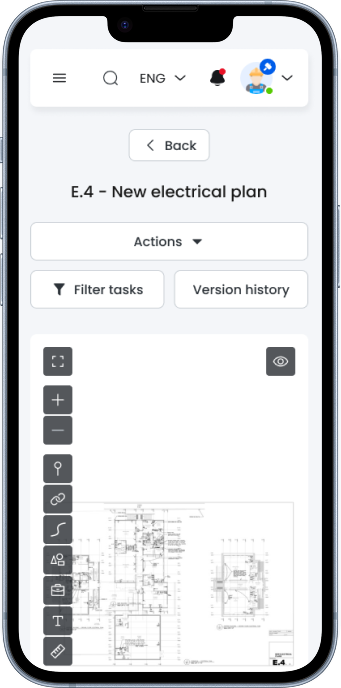
Upload a PDF, assign tasks, set deadlines, and approve work
with a single click.
Book a demo
How it works
Centralize all processes: assign tasks, monitor progress, and accept work in real-time.
1. Upload your plan or folder structure
Easily import your project blueprint or existing folder organization to get started immediately.
2. Set tasks with a click on the plan
Instantly assign tasks directly onto your uploaded plan or structure, making assignments intuitive and clear.
3. Mark completion and approve with one click
Update task status and confirm completion with a single click, keeping everyone informed and projects on schedule.
Why you need PWS?
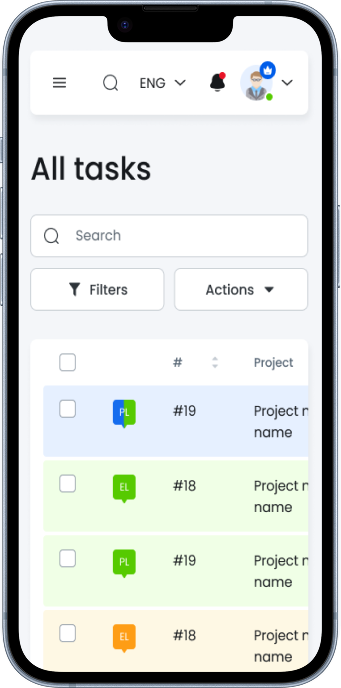
Task Management
— Create tasks, set statuses, organize with filters
Teamwork
— Role-based access: PM, Worker, Viewer
Accounting & Reporting
— Track points, costs, exports
On-Plan Control
— Visual overview directly on the plan
Security
— Trash bin, audit trail, automatic backups
Analytics
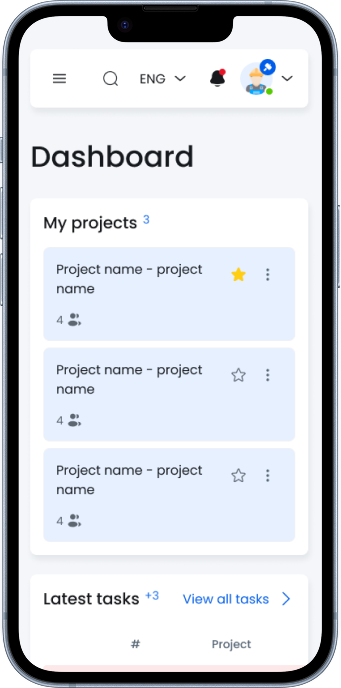
— Dashboards, progress tracking, PDF reports
Try PWS — launch your first project in 10 minutes.
Book a demo
Discover PWS - your shortcut to
smarter
construction management
Ready to do more with less?
Book a free 30-minute demo and experience how PWS streamlines your projects for effortless success.
Book a demo
Your name
Your e-mail
Your phone
Company name (optional)
Number of employees (optional)
Message (optional)
Send
Eng
Explore
Features
Contact
Explore
Features
Contact
Log in
Register
This site is registered on
wpml.org
as a development site. Switch to a production site key to
remove this banner
.